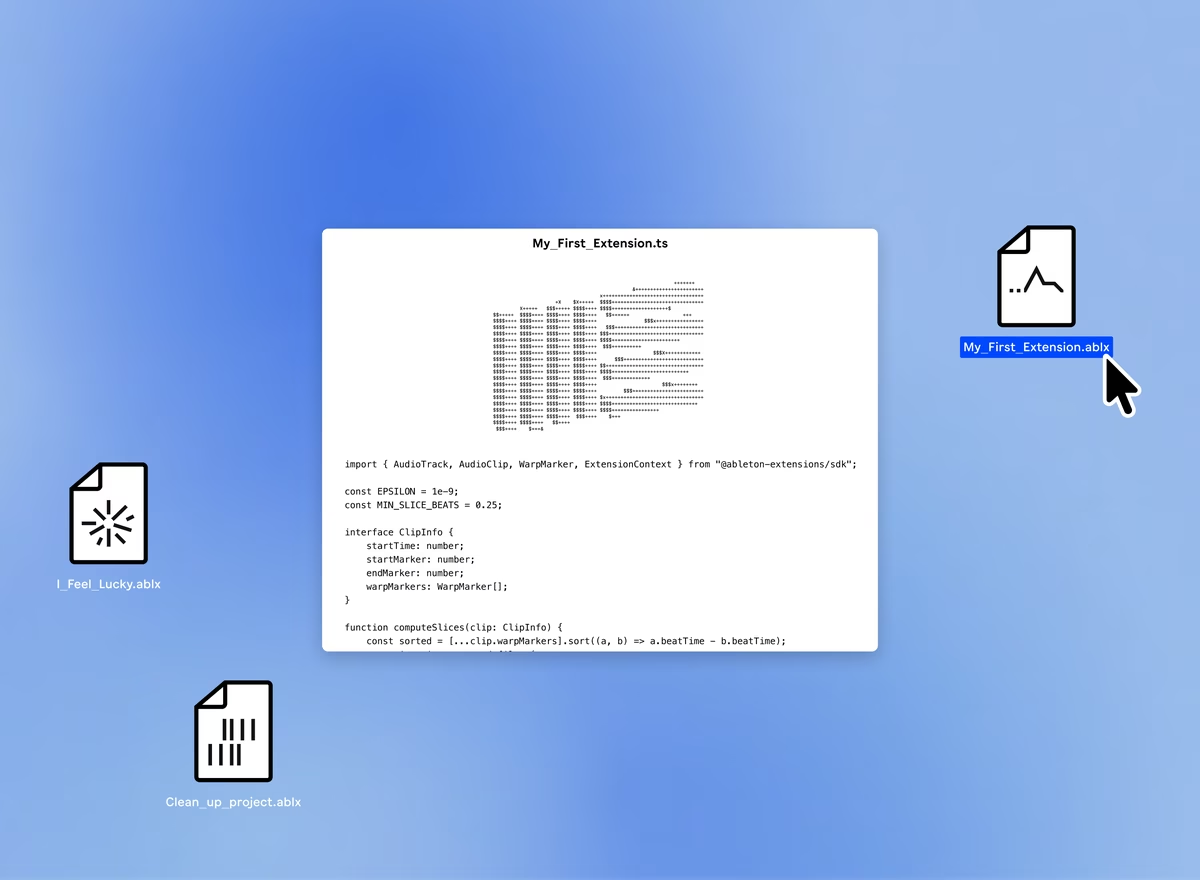
Ableton adds Extensions SDK to Live Suite
Free JavaScript toolkit lets Live 12 Suite users build custom in-DAW tools.
Clarity Commitment
Tell me more
Have not yet used this product
Estimated read time: X minutes
Ableton opens Live 12 Suite to custom JavaScript tools
Ableton has launched the Extensions SDK, a free, open JavaScript toolkit now in public beta that lets Live 12 Suite users build custom tools that run directly inside Live. The SDK ships alongside Live 12.4.5, currently in public beta, and marks the first time users can write code that reads and modifies the structure of a Live Set.
What Extensions can do
Extensions integrate into Live through the right-click context menu. Once installed, they appear as options when you right-click a track, MIDI clip, or other Set element, and run as one-shot tasks: triggered, executed, done. The SDK exposes tracks, clips, MIDI notes, devices, tempo, and automation to code, covering a wide range of practical and experimental use cases. Ableton's documentation lists examples from automating repetitive tasks and transforming MIDI data to connecting Live to external services, and on the more experimental end, playing games inside Live itself.
The SDK is built on Node.js and uses standard web technologies. Ableton specifically notes that AI coding assistants handle the underlying stack well, which means a clear description of what you want to build may be enough to get a working Extension running without deep coding experience.
Extensions versus Max for Live
Max for Live remains Ableton's environment for deep synthesis, custom instruments, and complex signal chains. Extensions work at a different layer: they manipulate Set data and workflow rather than audio or MIDI signal flow. A producer who builds a generative instrument in Max and uses an Extension to auto-name and color-code the resulting tracks is using both tools for exactly what they are each suited to. The two are complementary, not competing.
How to access the beta
Extensions require Live 12 Suite: they do not work in Standard, Intro, or Lite. To run them now, join the Ableton beta program and install Live 12.4.5. The Extensions SDK documentation is on GitHub, with the SDK download available to beta program members. Community sharing is taking place in a dedicated channel on Ableton's Discord server.
Frequently Asked Questions
What are Ableton Extensions?
Extensions are custom tools that run inside Ableton Live and are triggered from the right-click context menu. They use the Extensions SDK to read and modify the structure of a Live Set, including tracks, clips, MIDI notes, devices, tempo, and automation.
Which Live edition is required?
Extensions require Live 12 Suite. They do not work in Standard, Intro, or Lite editions. During the current beta, Live 12.4.5 is also required.
Is the Extensions SDK free?
Yes. The SDK itself is free. Running Extensions requires Live 12 Suite ($749 direct, or $585 at Thomann US) and, during the beta period, membership in the Ableton beta program.
How is this different from Max for Live?
Max for Live is for building custom instruments, effects, and MIDI devices that process audio and MIDI signals in real time. Extensions work at the Set level: they read and modify tracks, clips, and structure rather than audio flow. Both are available in Live 12 Suite and are designed to complement each other.
Do I need to be a developer to build Extensions?
Some coding experience helps, but Ableton notes that AI coding assistants handle the JavaScript and Node.js stack well. The documentation includes starter examples. Community-built Extensions can be used by anyone on Live 12.4.5 Suite without any coding.
Where can I find Extensions made by others?
The community is sharing Extensions in a dedicated channel on Ableton's Discord server. Ableton's Extensions page at ableton.com/live/extensions includes early examples.
When will Extensions leave beta?
Ableton has not announced a timeline for the stable release. The current beta version is Live 12.4.5. Check ableton.com/live/extensions for updates.
Our View
The workflow-automation gap in Live has always been awkward. Max for Live can do almost anything inside the signal chain, but it asks for real time investment before the payoff becomes apparent. Extensions target the opposite end: quick, targeted tools for Set manipulation tasks that have no obvious home in Max. The right-click-and-run model fits this kind of work.
The Suite-only restriction is the central caveat. Live 12 Suite costs $749 direct (or $585 via Thomann US), and if you are on Standard or Intro, Extensions do not exist for you. Even within Suite, this is a beta: the SDK's stability and the depth of community contributions will take time to establish. What's shipping now is a foundation, not a finished catalogue.
The scripting systems in Bitwig Studio (flagship edition, $399; entry at $99) and Reaper ($60 discounted / $225 commercial) cover similar workflow territory at a lower entry price, though neither runs inside the Ableton ecosystem. Suite users doing non-trivial session management, such as batch track renaming, external MIDI generation, or template building, have a clear path to time savings. Producers satisfied with Live's stock workflow can wait for the stable release. No hands-on testing was possible before publication; the specific question for a future hands-on is how Extensions perform under live performance conditions, where a hanging task mid-set would be a real problem.
Pricing
Extensions SDK
The Extensions SDK is free. Documentation is on GitHub. The SDK download requires joining the Ableton beta program and installing Live 12.4.5.
Ableton Live 12 Suite
Live 12 Suite is required to use Extensions. Prices verified June 2026.
Ableton direct: $749 / £539 / €749
Thomann US* $585 (cheapest verified)
Rent-to-own (Ableton direct): $31.21/mo
See the cheapest ways to buy Ableton Live guide for upgrade pricing and current offers.
Education Pricing
Students and educators save 50% on all Live 12 editions. See the Ableton education pricing page for eligibility and verification. See the musicmanta student discounts guide for context.
Free Trial
A 30-day free trial of Live 12 Suite is available with no credit card required and full Suite features. To access Extensions during the trial, also join the beta program and install Live 12.4.5.


Demos
Videos
Introducing Extensions SDK: An experimental playground inside Live


